

OpenText Content Manager to SharePoint migration, with the evidence to switch Content Manager off.
Provenance is a migration tool built for OpenText Content Manager estates (formerly Micro Focus Content Manager, HPE Records Manager and HP TRIM) moving to Microsoft 365. It carries the records across, not just the files, and produces the decommissioning evidence as it goes.
The problem is not moving the files
Any migration tool can copy documents into SharePoint. Very few can read Content Manager at all, and generic tools do not carry the records management context across: the retention schedule, the disposal date, the security classification, the container structure, the audit trail. What arrives is a pile of files with today’s date on them, and the governance you paid for stays behind in the system you are trying to switch off.
A Content Manager to SharePoint migration is not finished when the files land. Switching Content Manager off is an evidence decision: can you show the regulator, the auditor and yourself that every record that was there is now here, governed, and that the source can be lawfully destroyed? That evidence is what Provenance produces.
Four things, in order
Reads Content Manager directly
Connects through the Content Manager ServiceAPI and extracts each record with its full metadata envelope: dates, classification, retention schedule, disposal date, security level, container, prior revisions and the audit trail.
Maps schedules to Purview retention labels
Your records manager writes and approves the mapping from Content Manager disposal schedules to Microsoft Purview retention labels, and states when each schedule’s clock starts. Every transformation is explicit, reviewable and fingerprinted into the migration evidence.
Loads Microsoft 365 with governance applied
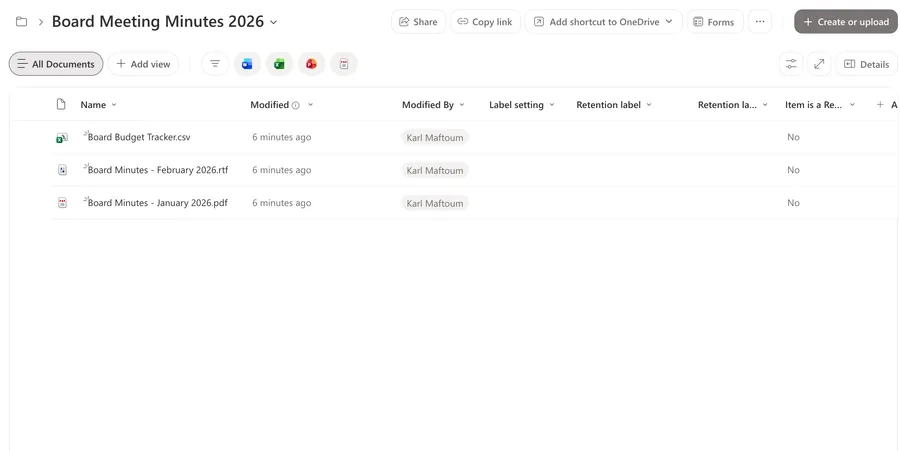
Document Sets for containers, labelled at set level, metadata columns, Purview retention labels, the retention clock started from the Content Manager date, and every file hash-verified against what SharePoint actually stored.
Produces the decommissioning evidence
Verification against SharePoint, reconciliation against the source population, the security and physical custody registers, assembled into a signable Decommission Readiness Pack that remains readable after Content Manager and the tool are gone.
What a record keeps on the way across
The point of a records migration is that the things which made the document a record arrive with it. This is what Provenance carries, and where each one lands.
| In Content Manager | In Microsoft 365 | How it is proven |
|---|---|---|
| The document and its prior revisions | The file in a SharePoint library, revisions alongside it | Size and hash checked against what SharePoint stored, every file |
| Record number, title, dates, classification, author, security level | Metadata columns your records manager maps | Read back after upload and compared to the extract |
| Retention schedule and disposal action | A Microsoft Purview retention label, per schedule | Label on the item compared to the approved mapping |
| The retention trigger and the resolved disposal date | The retention clock started from the Content Manager trigger date, not the upload date | Expected disposal date compared to Content Manager’s, item by item |
| Folders and containers | Document Sets for containers, labelled at set level | Label on the set compared to the approved mapping |
| The audit trail | A per-record audit log beside the record, plus a full-fidelity stream | Attributed to the record it belongs to, mismatches reported |
| Access controls, security levels and caveats, holds | Exported as a security evidence report with the registers needed to read it | Stated verbatim; anything the tool cannot interpret is marked as such |
| Physical holdings and their custody | Exported as a physical custody register with movement history | Stated as a custody position, never overstated as a chain of custody |
A 1995 record should not get a 2026 clock
Purview counts a retention label from the date a file arrives unless it is told otherwise. Upload a record closed in 1995 and a “retain seven years from closure” label starts counting from the migration date. The label name is right, the disposal date is wrong by decades, and a check of label names alone will pass it.
Content Manager has already resolved each record’s trigger, whether that is file closure, last action, date inactive or creation, into a disposal date. Provenance carries that trigger date forward. The mapping states when each schedule’s clock starts, the upload records the date against every item, and Purview’s event-based retention is used to start the clock from that date rather than from the day the file landed. Verification then compares the resulting disposal date with the one Content Manager held, record by record, and the readiness report tells you before you start which records have a trigger date and which do not.
This is the check the National Archives of Australia describes as confirming that the date of creation has not been changed to the migration date, and it is the one a plain copy fails.
Discrete steps your team runs, in order
Each step is a command with a dry run, plain exit codes and resumable checkpoints, so it fits your own run books and change windows. Nothing moves until the mapping validates.
- ExtractPull documents, metadata, lifecycle dates, revisions and audit trails from Content Manager to disk.
- Analyse and reportDiscover every schedule, record type and format, and produce the readiness report and the mapping template.
- MapYour records manager maps schedules to Purview labels and decides when each clock starts. Approved and fingerprinted.
- PreflightValidate the mapping and the SharePoint target before anything is written.
- UploadLoad files, Document Sets, metadata, labels and the clock facts, with every file hash-verified.
- VerifyRead everything back from SharePoint and compare it to the upload ledger.
- Start the clocksRaise the Purview retention events that start each record’s clock from its Content Manager date.
- ReconcileRe-query Content Manager and prove the migrated population equals the source population.
- Evidence packAssemble every artefact into one signable Decommission Readiness Pack with its exception sign-off sheet.
Prove it on your own data first
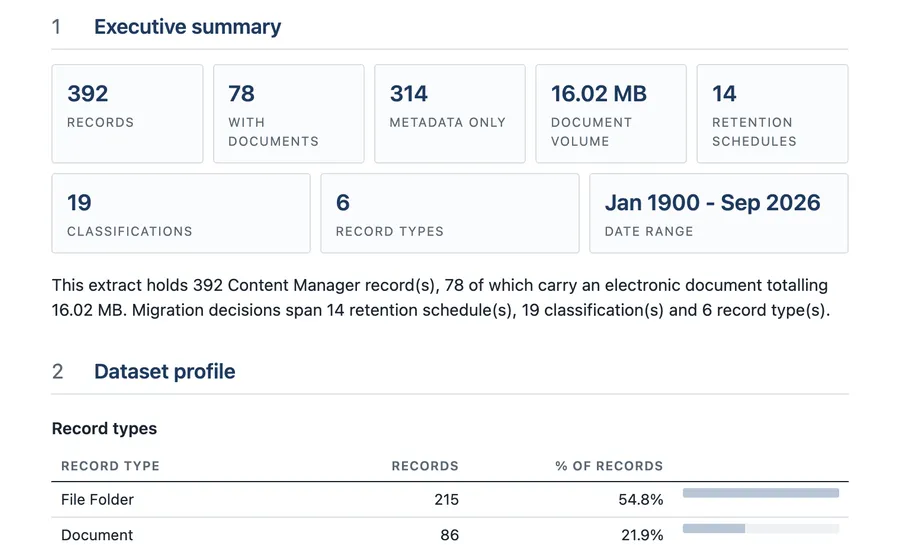
The readiness pass runs without a licence. Point Provenance at your Content Manager and within a day you have a readiness report: every retention schedule with counts, every record type, aggregate structures, formats and sizes, and the list of decisions your migration will need. Nothing leaves your network.
From there: a fixed-price pilot on a bounded set of records, then a licence sized to your estate. Your team runs it; we support you through the migration window.
Cost control
Provenance is licensed software with a support package, not a services engagement. Your records manager owns the mapping, your Microsoft 365 administrator owns the tenant, and the tool is built for that: loud validation before anything moves, a dry run of the whole plan, resumable extraction and upload, and plain exit codes so it fits your own run books. Retention design and sentencing advice is available alongside the licence, subject to availability.
Built for Australian recordkeeping
Provenance’s verification and reconciliation are mapped against National Archives of Australia guidance, Public Record Office Victoria’s PROS 24/01, the State Records NSW and Queensland State Archives migration requirements, and AS 5393:2025, the Australian standard for migrating authoritative records between systems. The mapping is published with its gaps included, because an alignment statement that only lists successes is not usable evidence.
Things you would rather hear from us than find later
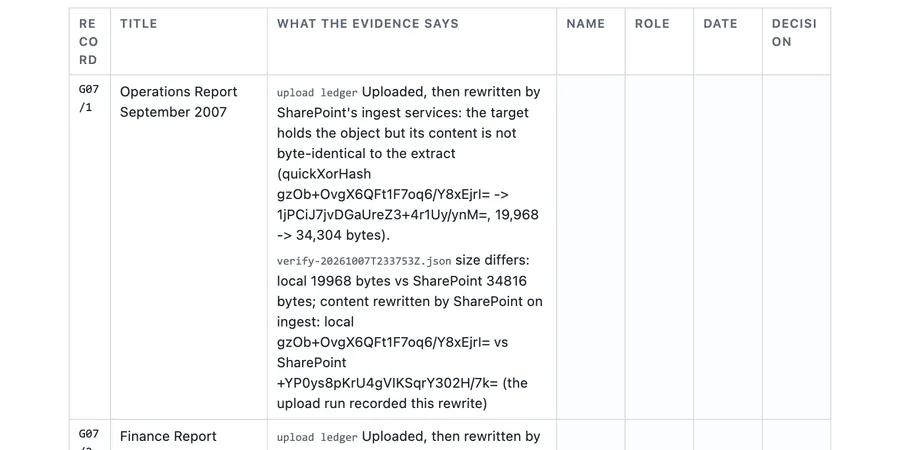
Provenance does not claim to preserve everything. Access control is exported as evidence, not replayed in SharePoint. Legal holds are exported, not enforced in the migration path. SharePoint rewrites some legacy Office and TIFF files on ingest; the tool records both hashes and puts those items to sign-off rather than hiding them. Every known limitation is stated in the documentation and the release notes.
Frequently asked
Which versions of Content Manager does Provenance read?
Provenance connects through the Content Manager ServiceAPI, which is part of OpenText Content Manager and its Micro Focus and HPE predecessors. It is proven live against Content Manager 9.4 and supports Windows, Basic and Entra ID authentication to the ServiceAPI.
Does it need Microsoft Purview?
Yes. Retention labels, event-based retention and records declaration are Microsoft Purview features, so the destination tenant needs licensing that includes Purview records management. Provenance applies the labels your records manager has published; it does not replace Purview.
Does any data leave our network?
No. Provenance runs on a machine you control, reads your Content Manager and writes to your Microsoft 365 tenant. Nothing is sent to Tarrion Consulting. The readiness report and the evidence pack are files you keep.
Can our own team run it?
Yes, and that is how it is designed to be used. Provenance is licensed software with a support package. Your records manager owns the mapping, your Microsoft 365 administrator owns the tenant, and every step validates loudly, supports a dry run and resumes where it stopped.
What happens to physical records?
Content Manager is often the custody register for physical holdings. Provenance exports the custody position, movement history and the storage and request registers as a physical custody register, so that nothing is decommissioned while Content Manager is still the only record of where those things are.
What does Provenance not do?
It does not replay access control in SharePoint, enforce legal holds in the migration path, or claim to preserve files that SharePoint itself rewrites on ingest. Each of those is exported as evidence or put to sign-off, and every known limitation is stated in the documentation.

Ready to switch Content Manager off?
Get in touch and we will set up the readiness pass on your data.
Contact us